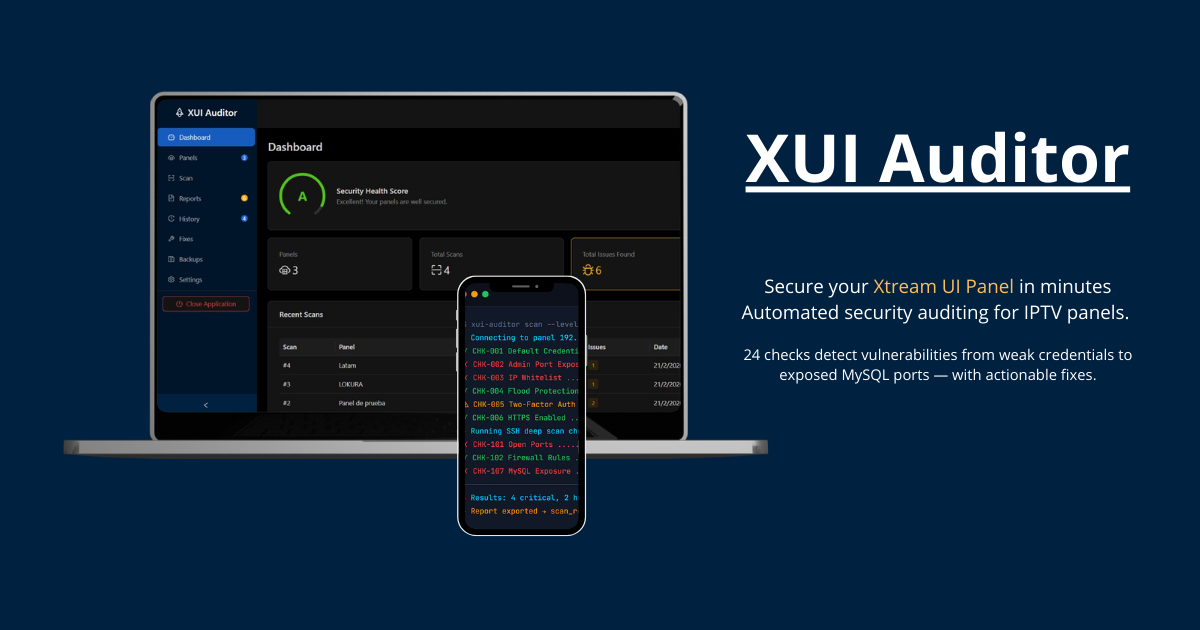
Automated security auditing for Xtream UI and XUI.ONE panels. 24 checks detect vulnerabilities from weak credentials to exposed MySQL ports — with actionable fixes.
From credential checks to deep SSH analysis, XUI Auditor covers every attack surface of your Xtream UI and XUI.ONE panels.
7 API-based checks plus 17 deep SSH/MySQL checks covering credentials, ports, firewall, MySQL, cron jobs, and more. Works with Xtream UI and XUI.ONE panels.
Goes beyond API checks. Analyzes open ports, firewall rules, suspicious processes, file permissions, and server integrity via SSH.
Pre-scan connection verification ensures your panel is reachable before scanning. Real-time progress via SSE with clear error handling when something fails.
Export detailed reports in HTML, PDF, and JSON formats. Dark-themed HTML reports ready for clients or your team.
One-click fixes with built-in safety: server snapshots before each change, post-fix health checks, and instant rollback if something goes wrong.
Create secure MySQL backups of your Xtream UI database via SSH. Protect your data before applying security changes.
Get from zero to fully audited in under 5 minutes.
Download XUI Auditor, run the executable. No complex setup needed — works out of the box on Windows.
Enter your Xtream UI or XUI.ONE panel URL and credentials. The tool auto-detects the panel type and verifies the connection before scanning.
Run the scan, review findings with severity levels, and apply recommended fixes. Export your report.
XUI Auditor is a desktop application that runs entirely on your machine. No cloud. No external servers. No telemetry. Your data stays with you.
The app runs a local web server on your PC (port 17850). All connections to your panel go directly from your machine — no middleman, no proxy.
Panel credentials and SSH passwords are encrypted with AES-256 before being saved to the local SQLite database on your disk. Never stored in plain text.
No analytics, no tracking, no phone-home. The app works fully offline after download. Even the license key validation is 100% offline.
Scans only read information from your panel. Nothing is written or changed unless you explicitly click “Apply Fix” on a specific issue.
After downloading, XUI Auditor works without internet. It connects only to your panel's IP — nothing else. Verify it yourself with a firewall.
Every check tells you exactly what it analyzes. Scan results stay on your local disk. Export reports for your own records — they're never uploaded.
Start free with the Demo edition. Upgrade to Full for complete security reports and fixes.
Try XUI Auditor with limited reporting
No credit card required
Complete security auditing suite
One-time payment · Perpetual license · 50% OFF
Download the free demo and start auditing your panel immediately.
Standalone executable. No installation required.
Just download, run, and start scanning your IPTV panels.